


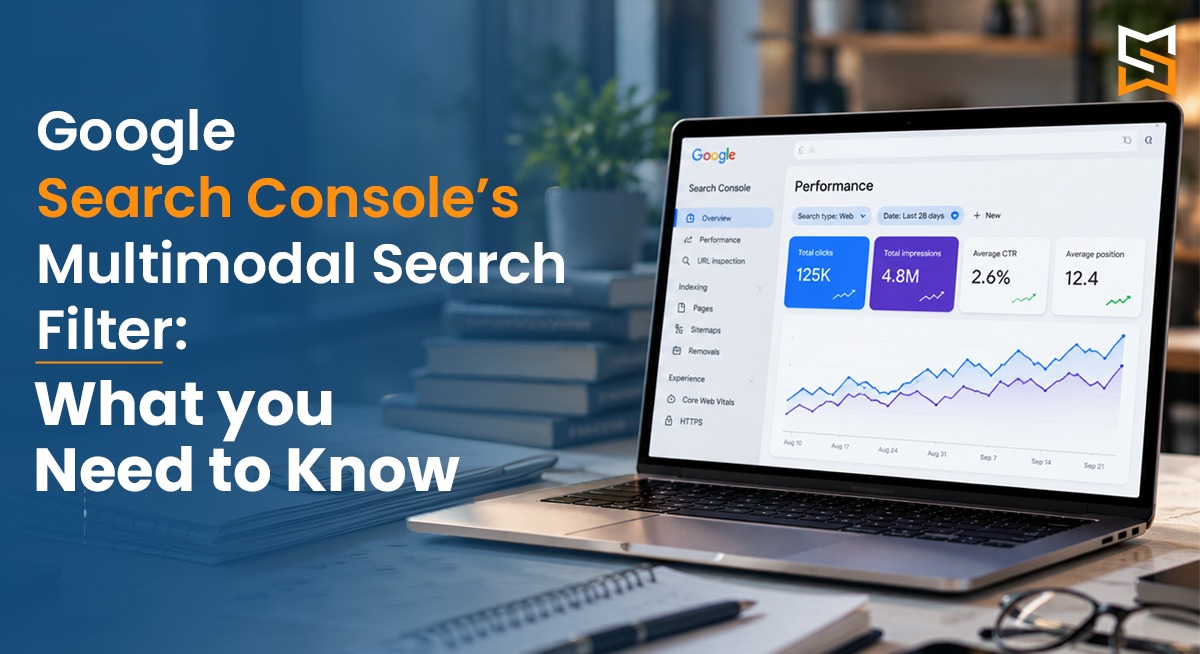

Users can now use photos and even screenshots to search for products, places, information, and websites. Google introduced a new multimodal search filter in Search Console that offers insight into these visual-based searches. Empowering the SEO team to gain a deeper understanding of the role of visual content in website discovery. The feature will be rolled out globally starting on September 24, 2026.
The Multimodal Search Filter helps website owners measure how their pages perform when users search using images. It covers Google Lens, Circle to Search on Android, image uploads to Google Search, and Chrome’s “Search this image,” providing SEOs with new insights into visual search performance.
What Is the New Multimodal Search Filter in Google Search Console?
The Multimodal Search Filter in Google Search Console is available within the Web search type in the Performance report. It separates searches involving visual inputs from traditional text-based web searches.
The feature gives website owners another layer of search-performance data, allowing them to understand whether their pages are receiving visibility and clicks through multimodal search in GSC experiences.
The filter is available to websites that get qualifying multimodal traffic as Google rolls out this feature on a global scale.
What Types of Searches Does Multimodal Search Include?
Google Search Console Multimodal Search combines several image-based search experiences into one reporting category:
Google Lens
Circle to Search on Android
Image uploads to Google Search
Chrome’s “Search this image”
Rather than providing separate reports for each experience, Google groups them under the multimodal category, giving SEOs a broader view of visual search performance.
How to Find Multimodal Search Data in GSC
To access the report:
Open Google Search Console and select your website property.
Go to Performance → Search results.
Open the GSC Search type filter.
Select Multimodal under Web, when available.
Review the performance data.
SEOs can analyse available metrics and dimensions such as clicks, impressions, CTR, average position, pages, countries, devices, and dates. The data can also be exported for further analysis.
What Data Does the Multimodal Search Report Provide?
The report helps SEOs identify which pages and visual assets are benefiting from image-led discovery.
Pages: Identify URLs receiving impressions or clicks from multimodal searches.
Countries: Understand where visual search visibility is generating traffic.
Devices: Identify device patterns associated with multimodal searches.
Dates: Track performance changes and trends over time.
Clicks and impressions: Measure visibility and visits generated through multimodal searches.
One major limitation is that query data is unavailable. Since multimodal searches primarily use images instead of text queries, Search Console does not provide the specific keywords associated with this traffic. SEOs therefore need to focus more on page-level and performance data.
Why Multimodal Search Data Matters for SEO
The new report adds another layer to Google Search Console SEO Insights, helping SEOs understand how users discover pages through visual search.
This can be particularly useful for image-heavy industries such as:
E-commerce
Fashion
Travel
Food
Home and interiors
Automotive
Real estate
Consumer products
For example, businesses can identify product or destination pages gaining visibility through image-led searches and use these insights to strengthen their Multimodal SEO strategy.
How SEOs Can Optimise for Multimodal Search
Optimise images: Use high-quality images, descriptive filenames, and relevant alt text.
Provide image context: Add surrounding content that clearly explains what each image represents.
Use relevant structured data: Apply appropriate structured data, such as Product structured data for eligible product pages.
Create original visuals: Use original product photography, diagrams, illustrations, and infographics where they provide genuine value.
Optimise the complete page: Image optimisation should work alongside strong content, technical SEO, crawlability, mobile usability, and page experience.
Multimodal Search vs Traditional Web Search
Multimodal reporting should enhance traditional search data instead of replacing it. Together, the two types of data can give a more comprehensive understanding of user discovery of the website content.
What SEOs Should Do With the New Data
An SEO guide to the new data:
1. Identify pages that get multimodal traffic.
2. Compare their performance with traditional web search.
3. Check their images and the other content around them.
4. Look at the patterns across different countries and devices.
5. Optimise their visuals and page contexts.
6. Track changes over time.
Exporting Search Console data also allows teams to combine multimodal performance with their existing SEO reports.
Conclusion
With Google’s multimodal reporting, SEOs have more visibility into how users find websites via visual search. Businesses can better understand and support modern visual search behaviour by analysing this data and improving images, page context, structured data, and the overall quality of the page.
FAQs
1. What is Google Search Console’s Multimodal Search Filter?
It is a Search Console filter that helps website owners understand performance from eligible multimodal search experiences.
2. How does the Multimodal Search Filter help with SEO?
It gives SEOs additional insights into how users discover content through multimodal search and where optimization opportunities may exist.
3. What data can be viewed using the Multimodal Search Filter?
The filter can help analyze available search performance metrics, such as impressions and clicks, for eligible multimodal search experiences.
4. How can businesses optimize for multimodal search?
Businesses can optimize images, page content, structured data, and technical SEO to help search engines better understand their content.
5. How can Sociomark India help with multimodal search SEO?
Sociomark India can help businesses optimize their website, visual content, and SEO strategy to adapt to evolving multimodal search experiences.
Author: Sonali Jadhav (SEO Head)
Review Expert: Heta Desai Baandal